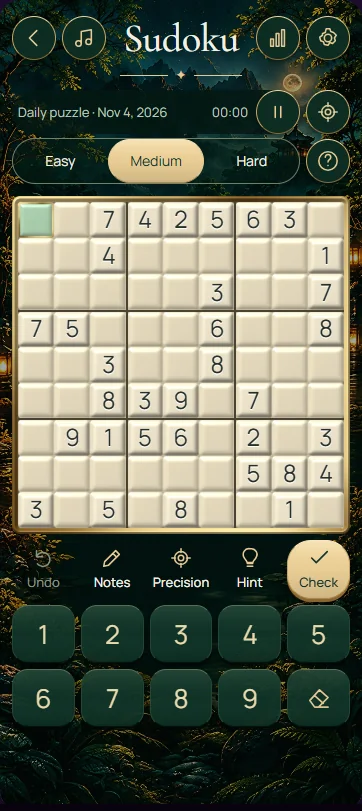
Fill the 9 × 9 Sudoku grid so every row, column and bold 3 × 3 box contains the digits 1–9 exactly once. The starting clues are fixed. Choose an empty cell, compare its three constraints and enter a number only when the remaining possibilities establish it.
Enter numbers and keep candidates separate
Select a cell and use the onscreen number buttons or your keyboard to enter a digit. Arrow keys move between cells. The clear button, Backspace or Delete removes an editable entry. Printed clues cannot be changed, so use them as the fixed starting points for your deductions.
Turn Notes on to record possible digits instead of a final number. Selecting a note again removes it. Entering notes in a cell replaces its current editable value, so turn Notes off before making a confirmed placement. Update related notes yourself after entering a number: candidates in other cells are not automatically removed.
Find a first move with a complete explanation
Look for a row, column or box with very few empty cells. Suppose a row is missing 2, 5 and 8. One of its empty cells already has a 2 elsewhere in its column and an 8 elsewhere in its box. Both alternatives are excluded, so that cell must contain 5.
After placing 5, revisit the affected row, column and box. Another cell may now have only one candidate, or a required digit may have only one possible position. These are different routes to certainty. Avoid choosing the order of two missing digits until a crossing constraint tells you which belongs in each cell.
Four habits that keep the grid consistent
The same digit appears nine times in a completed grid, but never twice in any individual row, column or box. There is no extra diagonal rule in this classic Sudoku. If a proposed number fits a row but clashes with its box, it is still invalid.
- Begin with nearly complete units and list the missing digits before examining their empty cells.
- Check all three constraints for every placement, including the bold box that is easy to overlook.
- Alternate between asking what fits a cell and asking where a particular digit can go.
- When a required digit has no available position, review recent entries and notes before continuing.
Frequently asked questions
Do I need arithmetic to solve Sudoku?
No. Standard Sudoku uses digits as nine distinct symbols, so you do not add or multiply them. You identify missing symbols and exclude positions that would repeat them in a row, column or box. Careful comparison and accurate notes matter more than calculating quickly.
What is the difference between a note and an answer?
A note records a digit that is still possible in a cell. An answer is a digit you have established through the puzzle's constraints. Several notes can remain together while you search elsewhere. When making a final entry, turn Notes off and update affected candidates in other cells.
What should I try when no move is obvious?
Choose one digit and inspect each box that lacks it, using existing copies in crossing rows and columns to rule out positions. Then check nearly complete units and refresh your notes. A short, systematic review is often more useful than repeatedly staring at the same unsolved cell.